Data Matrix Generator in Blazor Barcode Component
28 Aug 20261 minute to read
Data Matrix
The DataMatrix barcode is a two-dimensional barcode that consists of a grid of dark and light dots or blocks forming square or rectangular symbol. The data encoded in the barcode can either be numbers or alphanumeric. They are widely used in printed media such as labels and letters. You can read it easily using a barcode reader or a mobile phone.
@using Syncfusion.Blazor.BarcodeGenerator

<SfDataMatrixGenerator Width="200" Height="150" Value="SYNCFUSION"></SfDataMatrixGenerator>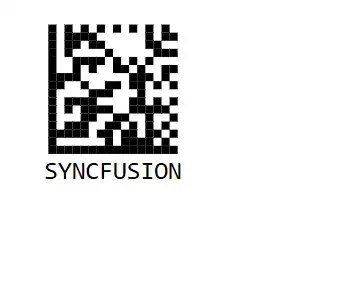
Customizing the Barcode color
A page or printed media containing a barcode often appears colorful in the background and surrounding area, along with other content. The barcode can be customized to suit the design by using the ForeColor property.
@using Syncfusion.Blazor.BarcodeGenerator

<SfDataMatrixGenerator Width="200" ForeColor="red" Height="150" Value="SYNCFUSION"></SfDataMatrixGenerator>
Customizing the Barcode dimension
The dimensions of the barcode can be adjusted by using the Height and Width properties of the barcode generator. By default, Width and Height are set to 100%, and they accept string values such as percentages or pixel values.
@using Syncfusion.Blazor.BarcodeGenerator

<SfDataMatrixGenerator Width="200" Height="150" Value="SYNCFUSION"></SfDataMatrixGenerator>Customizing the text
Customize the barcode text by using the display Text property.
@using Syncfusion.Blazor.BarcodeGenerator

<SfDataMatrixGenerator Width="200" Height="150" Value="SYNCFUSION">
    <DataMatrixGeneratorDisplayText Text="Text"></DataMatrixGeneratorDisplayText>
</SfDataMatrixGenerator>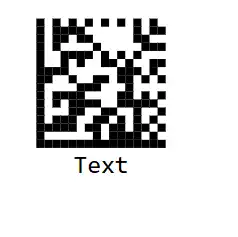
Event
OnValidationFailed event in the SfDataMatrixGenerator is triggered when the input string is invalid.
@using Syncfusion.Blazor.BarcodeGenerator

<SfDataMatrixGenerator Width="200px" Height="150px" Value="SYNCFUSION" OnValidationFailed="@OnValidationFailed"></SfDataMatrixGenerator>

@code
{
    public void OnValidationFailed(ValidationFailedEventArgs args)
    {
        // Action to be performed
    }
}