Undo redo in Blazor Block Editor component
12 Dec 20254 minutes to read
The undo/redo feature in Block Editor enables users to revert or reapply changes made to the content, offering a safety net for edits and enhancing the overall editing experience.
Keyboard shortcuts
| Action | Windows | Mac | Description |
|---|---|---|---|
| Undo | Ctrl + Z | ⌘ + Z | Reverts the last action. |
| Redo | Ctrl + Y | ⌘ + Y | Reapplies the last undone action. |
Configuring Undo/Redo stack
The Block Editor stores a history of actions, allowing users to perform undo and redo operations. By default, it saves up to 30 actions. You can customize this limit using the UndoRedoStack property to control the maximum number of steps that can be undone or redone.
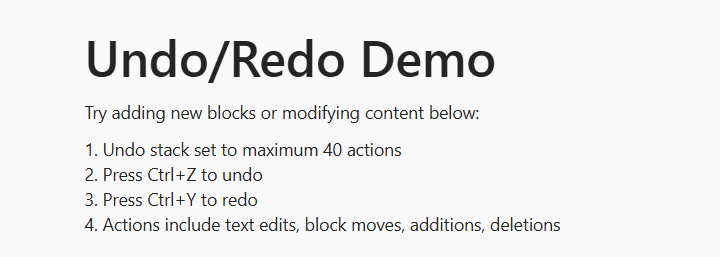
The example below sets the undo/redo history limit to 20 actions.
@using Syncfusion.Blazor.BlockEditor;

<div id="container">
    <SfBlockEditor Blocks="@BlocksData" UndoRedoStack=20></SfBlockEditor>
</div>
@code {
    private List<BlockModel> BlocksData = new List<BlockModel>
    {
        new BlockModel
        {
            BlockType = BlockType.Heading,
            Properties = new HeadingBlockSettings { Level = 1 },
            Content = new List<ContentModel>
            {
                new ContentModel
                {
                    ContentType = ContentType.Text,
                    Content = "Undo/Redo Demo"
                }
            }
        },
        new BlockModel
        {
            BlockType = BlockType.Paragraph,
            Content = new List<ContentModel>
            {
                new ContentModel
                {
                    ContentType = ContentType.Text,
                    Content = "Try adding new blocks or modifying content below:"
                }
            }
        },
        new BlockModel
        {
            BlockType = BlockType.Paragraph,
            Content = new List<ContentModel>
            {
                new ContentModel
                {
                    ContentType = ContentType.Text,
                    Content = "1. Undo stack set to maximum 40 actions\n2. Press Ctrl+Z to undo\n3. Press Ctrl+Y to redo\n4. Actions include text edits, block moves, additions, deletions"
                }
            }
        }
    };
}
<style>
    #container {
        margin: 50px;
        gap: 20px;
        display: flex;
        flex-direction: column;
        align-items: center;
    }
</style>