Calendar Views in Blazor Calendar
27 Aug 20261 minute to read
A Blazor Calendar has the following predefined views that provide a flexible way to navigate back and forth when selecting dates.
| View | Description |
|---|---|
| Month (default) | Displays the days in a month. |
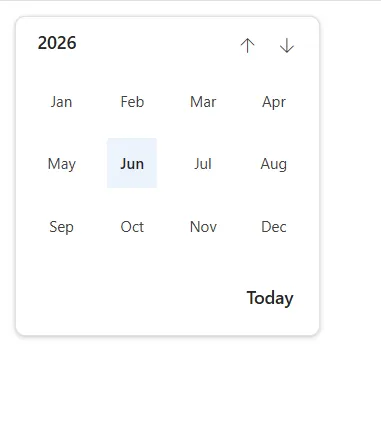
| Year | Displays the months in a year. |
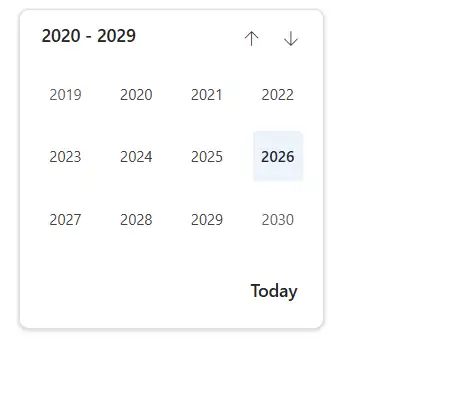
| Decade | Displays the years in a decade. |
Set the initial view
Use the Start property to set the initial (top) view when the Blazor Calendar renders. The Start view also acts as the upper limit for drill-up navigation.
The following example demonstrates how to set the Year as the start view of the Blazor Calendar.
@using Syncfusion.Blazor.Calendars

<SfCalendar TValue="DateTime?" Value='@DateValue' Start="CalendarView.Year"></SfCalendar>

@code {
    public DateTime DateValue {get;set;} = DateTime.Now;
}
View restriction
By defining the Start and Depth property with different views, drill-down and drill-up navigation can be limited. Calendar views will drill down to the view set in the Depth property and drill up to the view set in the Start property. Start represents a broader (less detailed) view and Depth represents a more detailed view within the hierarchy (Decade > Year > Month, from broader to more detailed).
The following example displays the Blazor Calendar in Decade view and allows selecting a date by drilling down to the Month view.
NOTE
The Depth view must be “smaller” (more detailed) than the Start view. If the
DepthandStartviews are the same, the Blazor Calendar view remains unchanged and navigation between views is disabled.
@using Syncfusion.Blazor.Calendars

<SfCalendar TValue="DateTime?" Value='@DateValue' Start="CalendarView.Decade" Depth="CalendarView.Year"></SfCalendar>

@code
{
    public DateTime DateValue {get;set;} = DateTime.Now;
}