Date Range in Blazor Calendar
27 Aug 20261 minute to read
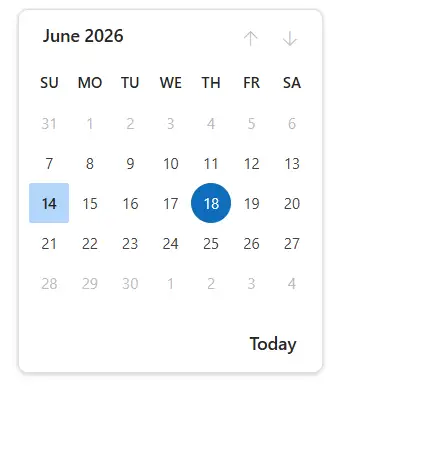
A Blazor Calendar provides an option to select a date value within a specified range by defining the Min and Max properties. The range is inclusive (Min and Max are selectable), and Min must be less than or equal to Max. The Blazor Calendar is date-based; time components of DateTime are ignored when evaluating the range.
NOTE
- If the value of
MinorMaxproperties is changed through code-behind, update theValueproperty to fall within the specified range.- If the
Valueis out of the specified date range, dates outside the range are disabled in the calendar UI.
The following code allows you to select a date within the range of 7th to 27th day in a month.
@using Syncfusion.Blazor.Calendars

<SfCalendar TValue="DateTime?" Min='@MinDate' Max='@MaxDate' Value='@DateValue'></SfCalendar>

@code{
    public DateTime MinDate {get;set;} = new DateTime(DateTime.Now.Year,DateTime.Now.Month,07);
    public DateTime MaxDate {get;set;} = new DateTime(DateTime.Now.Year, DateTime.Now.Month, 27);
    public DateTime? DateValue {get;set;} = new DateTime(DateTime.Now.Year, DateTime.Now.Month, 14);
}