How can I help you?
Print and Export in Blazor Chart Wizard Component
14 Mar 20268 minutes to read
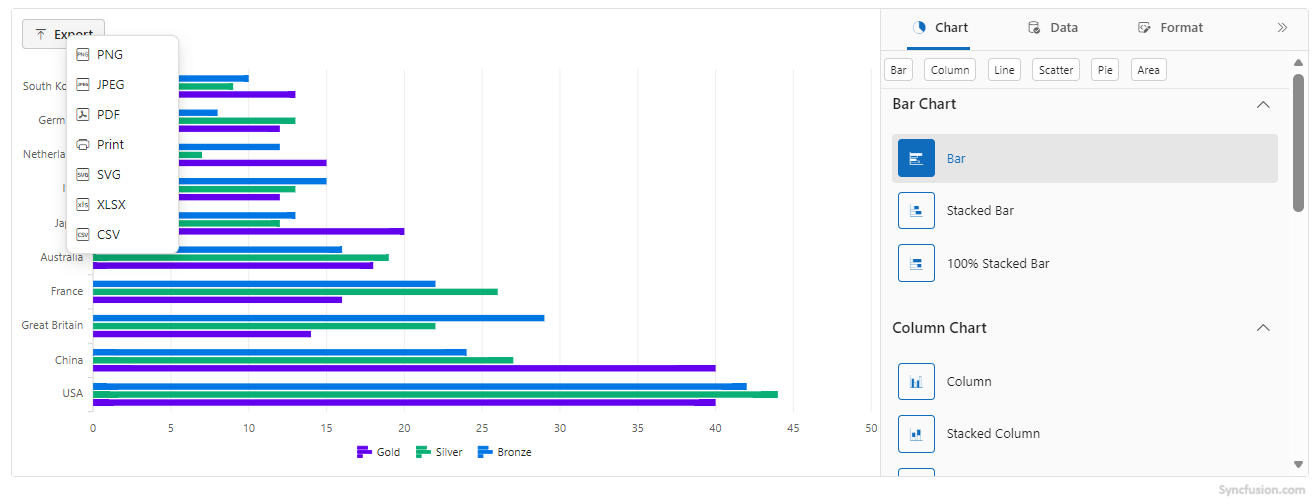
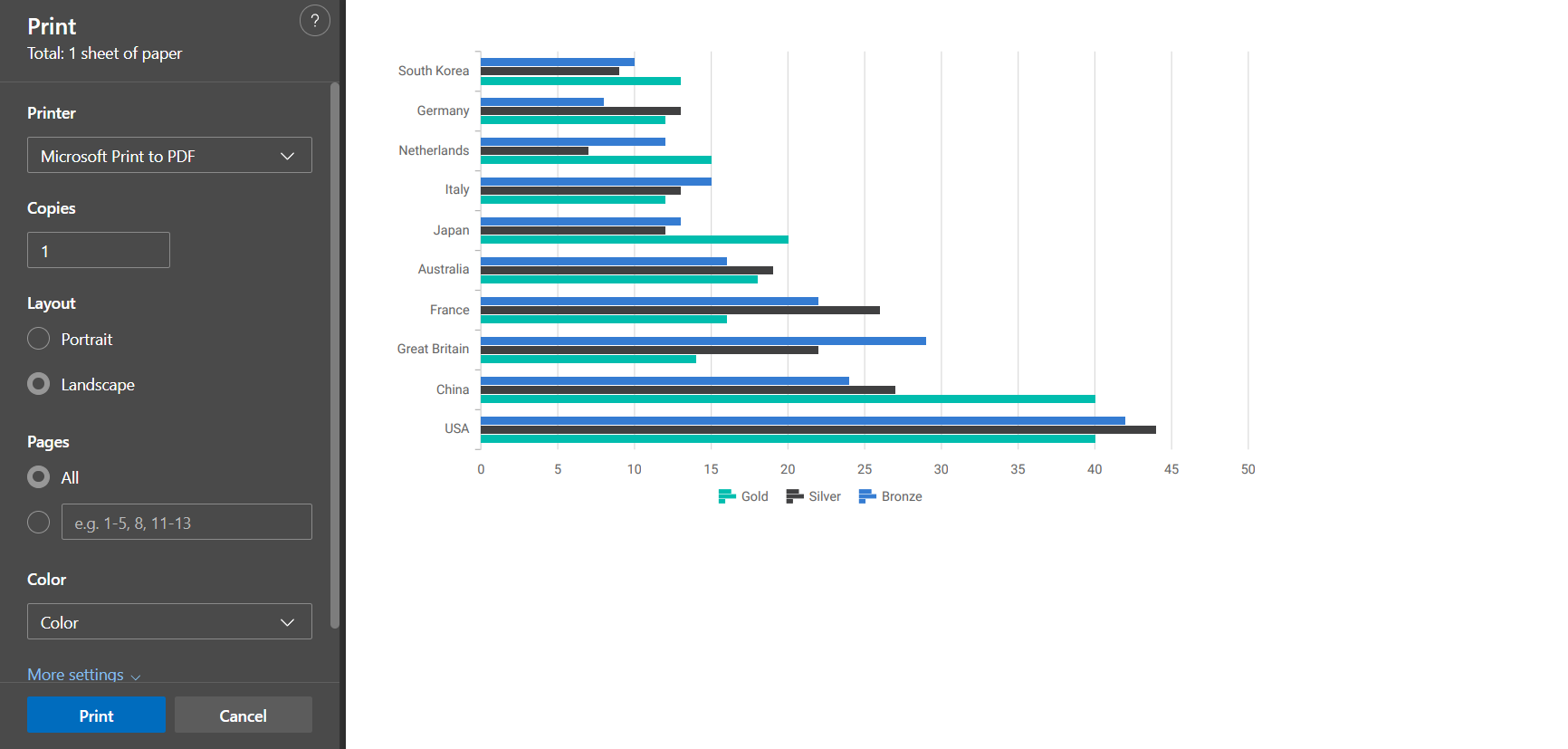
The Chart Wizard support the export of current chart to a variety of popular file formats. Supported export options include: PNG, JPEG, SVG, PDF, CSV, XLSX, and PRINT.
Configuring Export Options
Configure export behavior declaratively using the ChartExportSettings within ChartSettings. The main properties include:
-
FileName— Sets the file name of the export. -
Width— Sets the requested output width in pixels for image/PDF exports. -
Height— Sets the requested output height in pixels for image/PDF exports. -
Orientation— Sets the page orientation for PDF/print (PortraitorLandscape).
@using Syncfusion.Blazor.ChartWizard

<div class="control-section">
    <SfChartWizard>
        <ChartSettings DataSource="@OlympicsDataSource"
                       CategoryFields="@categories"
                       SeriesFields="@chartSeries"
                       SeriesType="ChartWizardSeriesType.Bar">
            <ChartExportSettings FileName="OlympicsReport" Width="800" Height="500" Orientation="PageOrientation.Landscape" />
        </ChartSettings>
    </SfChartWizard>
</div>

@code {
    private readonly List<string> chartSeries = new() { "Gold", "Silver", "Bronze" };
    private readonly List<string> categories = new() { "Country", "CountryCode" };

    private readonly List<OlympicsData> OlympicsDataSource = new()
    {
        new OlympicsData { Country = "USA", CountryCode = "USA", Gold = 40, Silver = 44, Bronze = 42 },
        new OlympicsData { Country = "China", CountryCode = "CHN", Gold = 40, Silver = 27, Bronze = 24 },
        new OlympicsData { Country = "Great Britain", CountryCode = "GBR", Gold = 14, Silver = 22, Bronze = 29 },
        new OlympicsData { Country = "France", CountryCode = "FRA", Gold = 16, Silver = 26, Bronze = 22 },
        new OlympicsData { Country = "Australia", CountryCode = "AUS", Gold = 18, Silver = 19, Bronze = 16 },
        new OlympicsData { Country = "Japan", CountryCode = "JPN", Gold = 20, Silver = 12, Bronze = 13 },
        new OlympicsData { Country = "Italy", CountryCode = "ITA", Gold = 12, Silver = 13, Bronze = 15 },
        new OlympicsData { Country = "Netherlands", CountryCode = "NLD", Gold = 15, Silver = 7,  Bronze = 12 },
        new OlympicsData { Country = "Germany", CountryCode = "DEU", Gold = 12, Silver = 13, Bronze = 8  },
        new OlympicsData { Country = "South Korea", CountryCode = "KOR", Gold = 13, Silver = 9,  Bronze = 10 }
    };

    public class OlympicsData
    {
        public string? Country { get; set; }
        public string? CountryCode { get; set; }
        public int Gold { get; set; }
        public int Silver { get; set; }
        public int Bronze { get; set; }
    }
}
NOTE
Customizing the Exported Chart with the Exporting Event
When an export is triggered, the component fires an Exporting event and supplies a ChartExportingEventArgs instance. You can use this to customize the export process. Available fields include:
-
FileName— sets the filename to use for the exported file (without extension). The component will append the appropriate extension for the selected export type. -
Cancel— set totrueto cancel the export operation. -
Width— sets width in pixels to use for the exported output (when supported by the export type); useful to control output resolution. -
Height— sets height in pixels to use for the exported output (when supported by the export type). -
Orientation— sets page orientation for printable exports (PortraitorLandscape). Applies primarily to PDF/Print workflows.
Here’s an example of handling the Exporting event:
@using Syncfusion.Blazor.ChartWizard

<div class="control-section">
    <SfChartWizard Exporting="OnExporting">
        <ChartSettings DataSource="@OlympicsDataSource"
                       CategoryFields="@categories"
                       SeriesFields="@chartSeries"
                       SeriesType="ChartWizardSeriesType.Bar">
            <ChartExportSettings FileName="Medals" />
        </ChartSettings>
    </SfChartWizard>
</div>

@code {
    private readonly List<string> chartSeries = new() { "Gold", "Silver", "Bronze" };
    private readonly List<string> categories = new() { "Country", "CountryCode" };

    private void OnExporting(ChartExportingEventArgs args)
    {
        // Set a custom file name
        args.FileName = "OlympicsMedalDetails";

        // Set explicit output dimensions when generating image/pdf outputs
        args.Width = 950; // pixels
        args.Height = 650; // pixels

        // Set page orientation for PDF/print exports
        args.Orientation = PageOrientation.Landscape; // or "Portrait"

        if (OlympicsDataSource == null || OlympicsDataSource.Count == 0)
        {
            // prevent export
            args.Cancel = true;
        }
    }

    private readonly List<OlympicsData> OlympicsDataSource = new()
    {
        new OlympicsData { Country = "USA", CountryCode = "USA", Gold = 40, Silver = 44, Bronze = 42 },
        new OlympicsData { Country = "China", CountryCode = "CHN", Gold = 40, Silver = 27, Bronze = 24 },
        new OlympicsData { Country = "Great Britain", CountryCode = "GBR", Gold = 14, Silver = 22, Bronze = 29 },
        new OlympicsData { Country = "France", CountryCode = "FRA", Gold = 16, Silver = 26, Bronze = 22 },
        new OlympicsData { Country = "Australia", CountryCode = "AUS", Gold = 18, Silver = 19, Bronze = 16 },
        new OlympicsData { Country = "Japan", CountryCode = "JPN", Gold = 20, Silver = 12, Bronze = 13 },
        new OlympicsData { Country = "Italy", CountryCode = "ITA", Gold = 12, Silver = 13, Bronze = 15 },
        new OlympicsData { Country = "Netherlands", CountryCode = "NLD", Gold = 15, Silver = 7,  Bronze = 12 },
        new OlympicsData { Country = "Germany", CountryCode = "DEU", Gold = 12, Silver = 13, Bronze = 8  },
        new OlympicsData { Country = "South Korea", CountryCode = "KOR", Gold = 13, Silver = 9,  Bronze = 10 }
    };

    public class OlympicsData
    {
        public string? Country { get; set; }
        public string? CountryCode { get; set; }
        public int Gold { get; set; }
        public int Silver { get; set; }
        public int Bronze { get; set; }
    }
}
NOTE
- Use
args.Cancel = trueto prevent exporting when needed.- The
FileNameproperty should not include a file extension; the component will add the correct extension based on the selectedExportType.- Data export formats like
CSVandXLSXexport the underlying data table and do not useWidth,Height, orOrientation.
See Also
- Explore the Chart Wizard Demo for interactive samples.