How to open a dialog on item click in Blazor Context Menu
27 Aug 20262 minutes to read
This section explains how to open a Dialog when a ContextMenu item is selected. Handle the ItemSelected event of the ContextMenu and invoke the Dialog component’s methods programmatically.
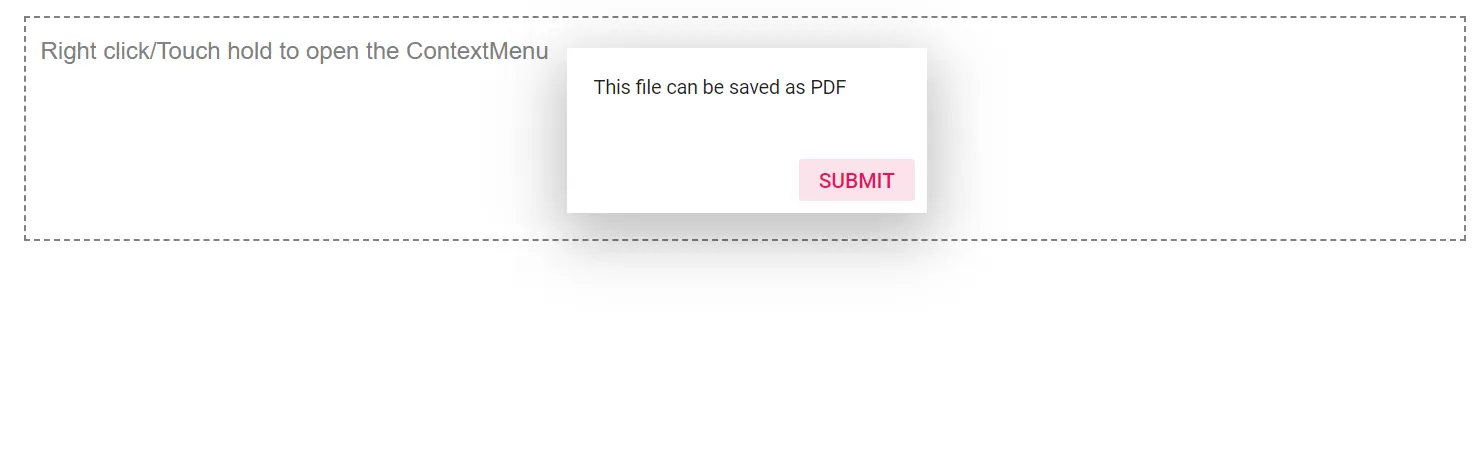
In the following example, the Blazor Context Menu component is rendered for a target element, and the ItemSelected event is used to detect the selected menu item. When the Save As… item is clicked, the event handler calls the Dialog’s ShowAsync method to open the Dialog component. The dialog can then be closed by clicking the Submit button, which invokes the HideAsync method.
The sample demonstrates the integration of the ContextMenu and Dialog components to provide contextual actions and user interaction.
@using Syncfusion.Blazor.Navigations
@using Syncfusion.Blazor.Popups

<div id="target">Right click/Touch hold to open the ContextMenu </div>
<SfContextMenu Target="#target" TValue="MenuItem">
    <MenuItems>
        <MenuItem Text="Back"></MenuItem>
        <MenuItem Text="Forward"></MenuItem>
        <MenuItem Text="Reload"></MenuItem>
        <MenuItem Separator="true"></MenuItem>
        <MenuItem Text="Save As..."></MenuItem>
        <MenuItem Text="Print"></MenuItem>
        <MenuItem Text="Cast"></MenuItem>
    </MenuItems>
    <MenuEvents TValue="MenuItem" ItemSelected="@SelectedHandler"></MenuEvents>
</SfContextMenu>
<SfDialog @ref="dialogObj" Content="@content" Visible="false" Target="#target" Width="200px" Height="140px">
    <DialogButtons>
        <DialogButton Content="Submit" IsPrimary="true" OnClick="@Clicked"></DialogButton>
    </DialogButtons>
</SfDialog>

@code {
    private SfDialog dialogObj;
    private string content = "This file can be saved as PDF";

    private async Task SelectedHandler(MenuEventArgs<MenuItem> e)
    {
        if (e.Item.Text == "Save As...")
            await dialogObj.ShowAsync();
    }
    private async Task Clicked(object args)
    {
        await dialogObj.HideAsync();
    }
}

<style>
    #target {
        border: 1px dashed;
        height: 150px;
        padding: 10px;
        position: relative;
        text-align: justify;
        color: gray;
        user-select: none;
    }
</style>