How to prevent panel overlap in Blazor Dashboard Layout
14 Aug 20262 minutes to read
When dynamically rendering DashboardLayoutPanel components, panels may overlap if not configured correctly. This issue typically occurs when multiple panels are assigned the same Id property. The Dashboard Layout component uses this Id internally to uniquely identify and manage each panel’s position and state. If Id values are duplicated, the component treats these panels as the same instance, causing them to render in the same location (e.g., Row = 0, Column = 0) and visually overlap.
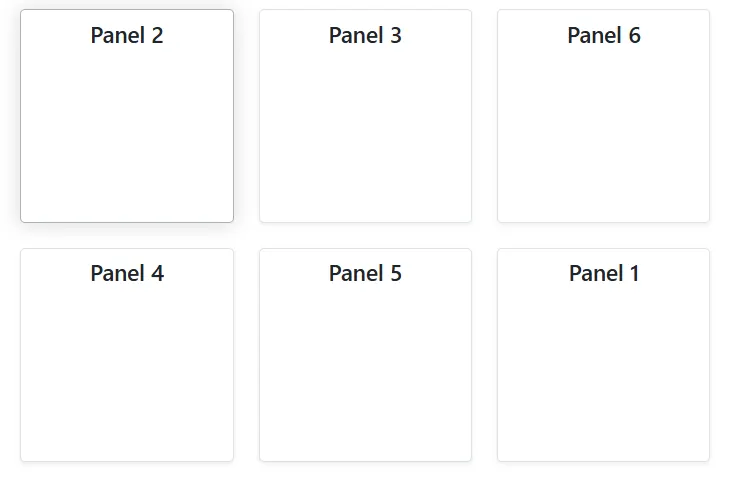
To ensure each panel renders independently in its specified location, assign a unique Id to every DashboardLayoutPanel.
Here is an example demonstrating how to assign unique Id values to dynamically generated panels:
@using Syncfusion.Blazor.Layouts

<SfDashboardLayout CellSpacing="@(new double[]{20, 20})" Columns="4">
    <DashboardLayoutPanels>
        @foreach (var panel in PanelItems)
        {
            <DashboardLayoutPanel Id="@panel.Id" Row="@panel.Row" Column="@panel.Column">
                <ContentTemplate>
                    <div class="panel-content">@panel.Content</div>
                </ContentTemplate>
            </DashboardLayoutPanel>
        }
    </DashboardLayoutPanels>
</SfDashboardLayout>

@code {
    public class PanelModel
    {
        public string Id { get; set; }
        public int Row { get; set; } = 0;
        public int Column { get; set; } = 0;
        public string Content { get; set; }
    }

    private List<PanelModel> PanelItems = new List<PanelModel>
    {
        new PanelModel { Id = "panel1", Row = 0, Column = 0, Content = "Panel 1" },
        new PanelModel { Id = "panel2", Row = 0, Column = 1, Content = "Panel 2" },
        new PanelModel { Id = "panel3", Row = 0, Column = 2, Content = "Panel 3" },
        new PanelModel { Id = "panel4", Row = 1, Column = 0, Content = "Panel 4" },
        new PanelModel { Id = "panel5", Row = 1, Column = 1, Content = "Panel 5" },
        new PanelModel { Id = "panel6", Row = 1, Column = 2, Content = "Panel 6" }
    };
}

<style>
    .panel-content {
        text-align: center;
        margin-top: 10px;
        font-size: 18px;
        font-weight: 500;
    }
</style>