How can I help you?
BPMN Shapes in Diagram Component
22 Jun 20266 minutes to read
BPMN (Business Process Model and Notation) shapes are used to represent the internal business procedure in a graphical notation and enable you to communicate the procedures in a standard manner. To create a BPMN shape, the node property Shape should be set as any one of the built-in shapes.
The following code example demonstrates how to create a simple BPMN Task shape.
@using Syncfusion.Blazor.Diagram

@* Initialize Diagram *@
<SfDiagramComponent Height="600px" Nodes="@_nodes" />

@code
{
    // Initialize node collection with Node.
    private DiagramObjectCollection<Node> _nodes;

    protected override void OnInitialized()
    {
        _nodes = new DiagramObjectCollection<Node>();
        Node node = new Node()
        {
            // Position of the node.
            OffsetX = 100,
            OffsetY = 100,
            // Size of the node.
            Width = 100,
            Height = 100,
            // Unique Id of the node.
            ID = "node1",
            // Sets the shape to activity.
            Shape = new BpmnActivity()
            {
                ActivityType = BpmnActivityType.Task
            },
        };
        _nodes.Add(node);
    }
}A complete working sample can be downloaded from GitHub
Note: Node’s Id should not start with numbers or special characters and should not contain special characters such as underscore(_) or space.

The following table describes the available BPMN shapes.
| Shape | Image | Description |
|---|---|---|
| Event |  |
Event shape represents something happens during a business process. |
| Gateway |  |
Gateway is used to control the flow of a process. |
| Activity | |
Activities describe the kind of work being done in a particular process instance. |
| Message |  |
The message is just the content of the communication. |
| DataStore |  |
DataStore is used to store or access data associated with a business process. |
| DataObject |  |
A DataObject represents information flowing using the process, such as data placed into the process, data resulting from the process, data that needs to be collected, or data that must be stored. |
| TextAnnotation | 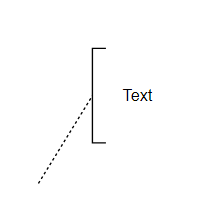 |
A TextAnnotation points at or references another BPMN shape, which we call as the TextAnnotationTarget of the TextAnnotation. |
| Expanded Sub-Process |  |
Organize tasks or processes that have significance in the overall process. |
| Sequence Flow | 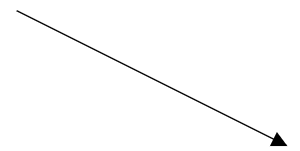 |
Sequence flows represent the typical path between two flow objects. |
| DefaultSequenceFlow | 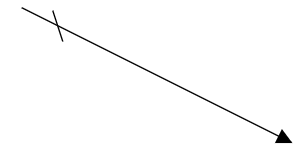 |
Default sequence flows are represented by an arrow with a tic mark on the one end. |
| ConditionalSequenceFlow | 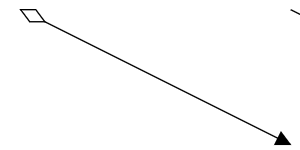 |
Conditional sequence flows are used to control the flow of a process based on the certain conditions. |
| Association | 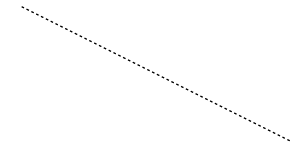 |
An association is represented as a dotted graphical line with an opened arrow. |
| DirectionalAssociationFlow | 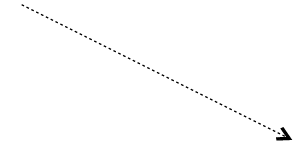 |
DirectionalAssociation is represented as a dotted graphical line with one side arrow. |
| BiDirectionalAssociationFlow | 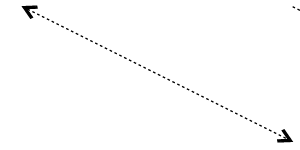 |
BiDirectionalAssociation is represented as a dotted graphical line with the double side arrow. |
| Message Flow | 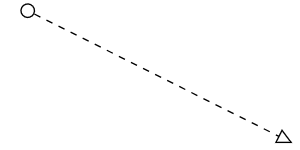 |
A MessageFlow flow shows the flow of messages between two participants and is represented by line. |
| InitiatingMessageFlow | 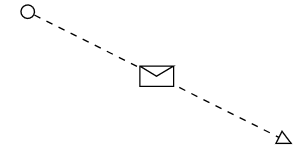 |
An activity or event in one pool can initiate a message to another pool. |
| NonInitiatingMessageFlow | 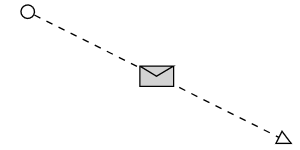 |
An activity or event in one pool cannot initiate a message to another pool. |