Localization in Blazor Dropdown List
26 Aug 20261 minute to read
Localization
The Blazor Dropdown List component supports localization of UI text and messages. Refer to the Blazor Localization documentation for configuring culture, resource files, and translations across Blazor components.
Globalization
Enable RTL mode
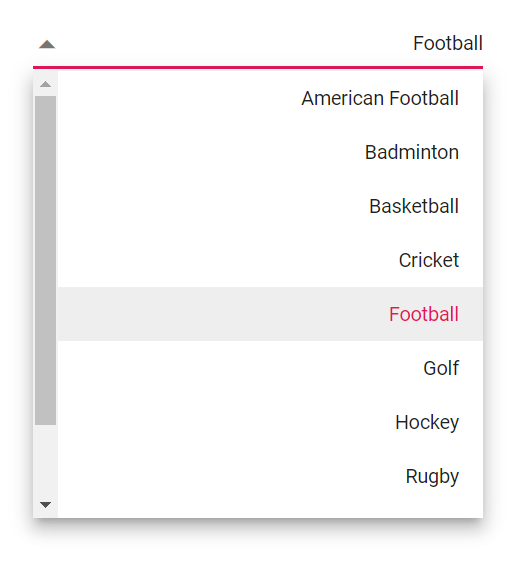
The direction can be switched to right to left when specifies the EnableRtl as true. Writing systems like Arabic, Hebrew, and more will require EnableRtl property.
Specifies the EnableRtl as a boolean value that indicates to enable or disable rendering component in the right to left direction. Writing systems will require Arabic, Hebrew, and more. The direction can be switched to right-to-left.
@using Syncfusion.Blazor.DropDowns;

<SfDropDownList TValue="string" TItem="Games" Placeholder="Select a game" Width="300px" DataSource="@LocalData" @bind-Value="GameValue" EnableRtl=true>
  <DropDownListFieldSettings Value="ID" Text="Text"></DropDownListFieldSettings>
</SfDropDownList>


@code {
    public string GameValue { get; set; } = "Game5";

    public class Games
    {
        public string ID { get; set; }
        public string Text { get; set; }
    }

    List<Games> LocalData = new List<Games> {
    new Games() { ID= "Game1", Text= "American Football" },
    new Games() { ID= "Game2", Text= "Badminton" },
    new Games() { ID= "Game3", Text= "Basketball" },
    new Games() { ID= "Game4", Text= "Cricket" },
    new Games() { ID= "Game5", Text= "Football" },
    new Games() { ID= "Game6", Text= "Golf" },
    new Games() { ID= "Game7", Text= "Hockey" },
    new Games() { ID= "Game8", Text= "Rugby"},
    new Games() { ID= "Game9", Text= "Snooker" },
    new Games() { ID= "Game10", Text= "Tennis"},
    };

}