Blazor ProgressBar Style and Appearance
12 Aug 20262 minutes to read
Style and Appearance provide options to customize the visual design of the Blazor ProgressBar component, ensuring consistency with your application’s branding and theme.
By using CSS selectors and ID-based styling, you can customize colors, typography, spacing, borders, and other visual properties of TreeMap items, labels, and SVG elements.
Basic ProgressBar Setup
@using Syncfusion.Blazor.ProgressBar

<SfProgressBar Type="ProgressType.Linear" Value="50" Height="60" Minimum="0" Maximum="100">
</SfProgressBar>

<SfProgressBar Type="ProgressType.Circular" Value="60" Height="160" Minimum="0" Maximum="100">
</SfProgressBar>
Customize Progress Bar - Progress Line
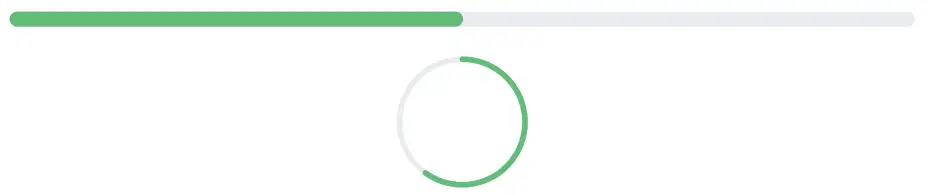
Style the linear progress bar to customize colors, height, and visual appearance. The linear progress bar uses CSS selectors to target and modify its presentation properties, allowing you to match your application’s design system and branding guidelines.
Linear
[id*="_LinearProgress"] path {
    stroke: #28a745 !important;
    opacity: 0.7;
}
Circular
[id*="_CircularProgress"] path {
    stroke: #28a745 !important;
    opacity: 0.7;
}
This CSS customizes the progress bar appearance with stroke color, width, and other properties to create an engaging progress visualization.
Customize Progress Bar - Track Line
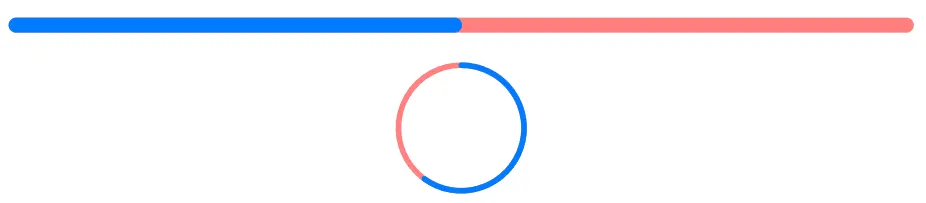
Modify the appearance of the progress bar track (the background area where progress is displayed) to create visual distinction and improve readability.
Linear
[id*="_LinearTrack"] path {
    stroke: red !important;
    opacity: 0.7;
}
Circular
[id*="_CircularTrack"] path {
    stroke: red !important;
    opacity: 0.7;
}
Customize Progress Bar - Range Text
Style the progress value text displayed in the ProgressBar for better visibility and consistency with your design system using the below CSS.
text[id*="_linearLabel"] {
    fill: #4c00fe !important;
    font-size: 14px !important;
    font-weight: 600 !important;
    font-family: "Segoe UI", Arial, sans-serif !important;
}
Example
@using Syncfusion.Blazor.ProgressBar

<SfProgressBar Type="ProgressType.Linear" Value="50" Height="60" Width="90%" TrackColor="#F8C7D8"
               ShowProgressValue="true" ProgressColor="#E3165B" TrackThickness="24" CornerRadius="CornerType.Round"
               ProgressThickness="24" Minimum="0" Maximum="100">
</SfProgressBar>

<style>
    text[id*="_linearLabel"] {
        fill: #4c00fe !important;
        font-size: 14px !important;
        font-weight: 600 !important;
        font-family: "Segoe UI", Arial, sans-serif !important;
    }
</style>
SVG presentation attributes such as fill, stroke, and font-size may require !important when overridden by inline SVG styles.