Label and Size in Blazor Radio Button
27 Aug 20261 minute to read
This section explains how to configure labels and sizes for the Blazor Radio Button component.
Label
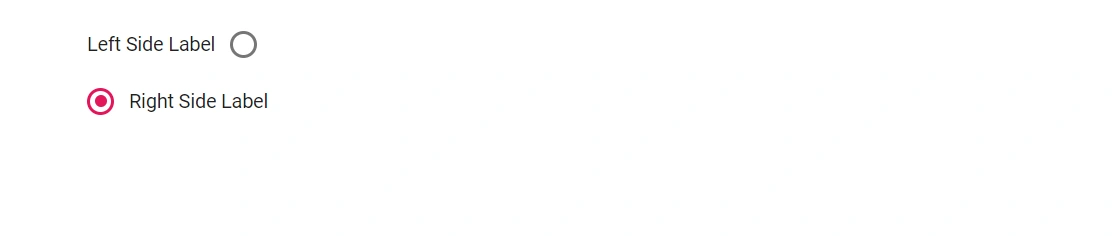
Define the Blazor Radio Button caption using the Label property to automatically render an associated <label> element, improving accessibility and click/tap targets. Control where the label appears with the LabelPosition property. The following LabelPosition enum values are supported:
| Enum Value | Description |
|---|---|
LabelPosition.Before |
Renders the label to the left of the Blazor Radio Button component (right-to-left layouts render on the opposite side). |
LabelPosition.After |
Renders the label to the right of the Blazor Radio Button component (right-to-left layouts render on the opposite side). |
@using Syncfusion.Blazor.Buttons

<SfRadioButton Label="Left Side Label" Name="position" LabelPosition="LabelPosition.Before" Value="Left" @bind-Checked="stringChecked"></SfRadioButton><br />
<SfRadioButton Label="Right Side Label" Name="position" LabelPosition="LabelPosition.After" Value="Right" @bind-Checked="stringChecked"></SfRadioButton>

@code {
    private string stringChecked = "Right";
}
Size
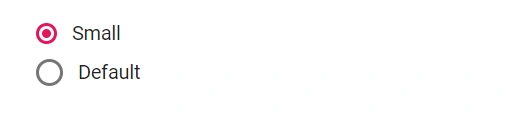
The Blazor Radio Button supports two sizes: default and small. To render the small size, set the CssClass property to e-small.
@using Syncfusion.Blazor.Buttons

<SfRadioButton Label="Small" Name="size" CssClass="e-small" Value="Small" @bind-Checked="stringChecked"></SfRadioButton><br />
<SfRadioButton Label="Default" Name="size" Value="Default" @bind-Checked="stringChecked"></SfRadioButton>

@code {
    private string stringChecked = "Default";
}