How to customize the thumb in Blazor Range Slider
14 Aug 20264 minutes to read
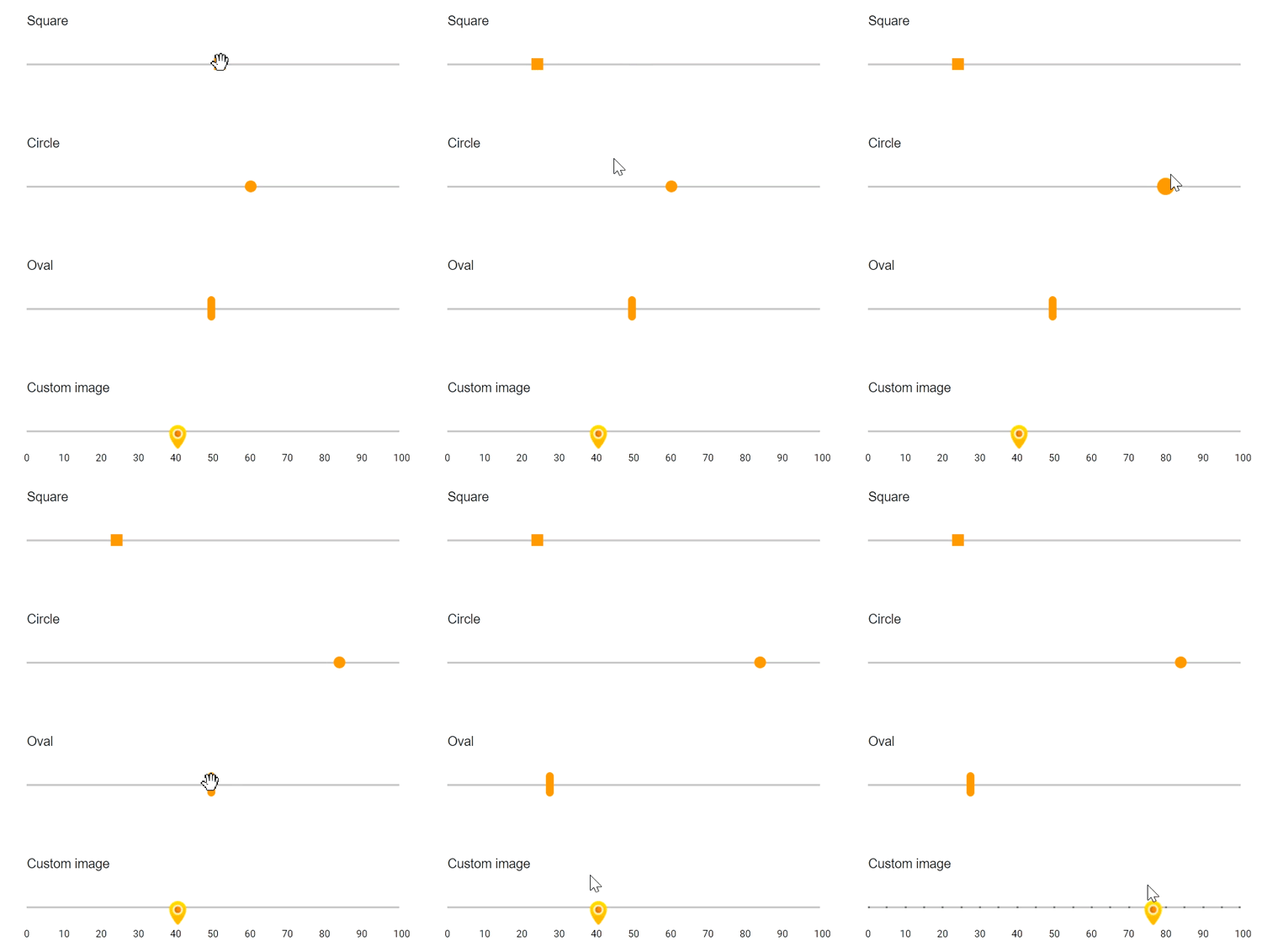
The slider’s appearance can be customized with CSS. By overriding the slider CSS classes, the thumb can be restyled. The slider thumb uses the e-handle class by default. Override this class to create different shapes or apply custom images. In the following example, the slider thumb is customized as square, circle, and oval shapes, and a background image is also applied.
@using Syncfusion.Blazor.Inputs;

<div class="col-lg-12 control-section">
    <div class="control-wrapper">
        <div class="slider-content-wrapper">
            <div class="slider_container">
                <div class="labelText slider-userselect">Square</div>
                <SfSlider TValue="int" Value="30" ID="square_slider">
                </SfSlider>
            </div>
            <div class="slider_container">
                <div class="labelText slider-userselect">Circle</div>
                <SfSlider TValue="int" Value="30" ID="circle_slider">
                </SfSlider>
            </div>
            <div class="slider_container">
                <div class="labelText slider-userselect">Oval</div>
                <SfSlider TValue="int" Value="30" ID="oval_slider">
                </SfSlider>
            </div>
            <div class="slider_container">
                <div class="labelText slider-userselect">Custom image</div>
                <SfSlider TValue="int" Value="30" ID="image_slider">
                    <SliderTicks Placement="@Placement.After" LargeStep="10" SmallStep="5" ShowSmallTicks="true"></SliderTicks>
                </SfSlider>
            </div>
        </div>
    </div>
</div>
<style>
    .slider-content-wrapper {
        width: 40%;
        margin: 0 auto;
        min-width: 185px;
    }

    .slider-userselect {
        -webkit-user-select: none;
        /* Safari 3.1+ */
        -moz-user-select: none;
        /* Firefox 2+ */
        -ms-user-select: none;
        /* IE 10+ */
        user-select: none;
        /* Standard syntax */
    }

    .labelText {
        text-align: -webkit-left;
        font-weight: 500;
        font-size: 13px;
        padding-bottom: 10px;
    }

    .slider_container {
        margin-top: 40px;
    }

    #square_slider.e-control.e-slider .e-handle {
        border-radius: 0%;
        background-color: #f9920b;
        border: 0;
    }

    #circle_slider.e-control.e-slider .e-handle {
        background-color: #f9920b;
        border-radius: 50%;
        border: 0;
    }

    #image_slider.e-control.e-slider .e-handle {
        height: 25px;
        width: 24px;
        background-size: 24px;
    }

    #image_slider.e-control.e-slider .e-handle {
        background-image: url(https://ej2.syncfusion.com/demos/src/slider/images/thumb.png);
        background-repeat: no-repeat;
        background-color: transparent;
        border: 0;
    }

    #square_slider .e-tab-handle::after,
    #circle_slider .e-tab-handle::after {
        background-color: #f9920b;
    }

    #image_slider .e-tab-handle::after {
        background-color: transparent;
    }

    #oval_slider.e-control.e-slider .e-handle {
        height: 25px;
        width: 8px;
        top: 3px;
        border-radius: 15px;
        background-color: #f9920b;
    }
</style>