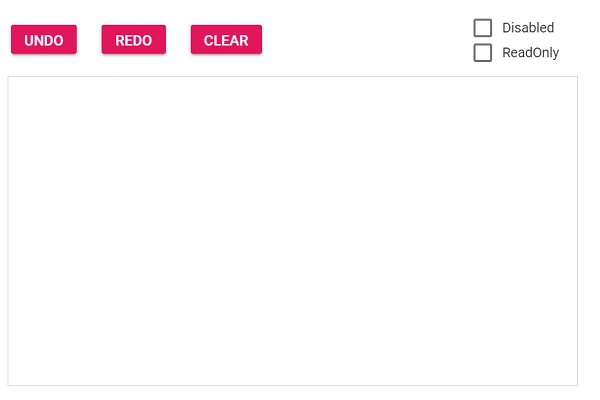
User Interaction in Blazor Signature
27 Aug 20263 minutes to read
The Blazor Signature component supports various interactions such as Undo, Redo, Clear, Disabled, and ReadOnly. Every change that occurs in the signature is captured as a snap and saved to a collection to enable the above user interactions. These interactions are split into two groups: Runtime Methods (Undo, Redo, Clear) and State Properties (Disabled, ReadOnly).
Runtime Methods
Undo
It reverts the last action of the signature using the UndoAsync method. It removes the latest snap from the collection and loads a previous snap to the signature. The CanUndoAsync method is used to check whether undo can be performed or not.
Redo
It reverts the last undo action of the signature using the RedoAsync method. The CanRedoAsync method is used to check whether redo can be performed or not.
Clear
It clears the signature and makes the canvas empty using the ClearAsync method. The IsEmptyAsync method is used to check whether the signature is empty or not.
State Properties
Disabled
It disables the signature component using the Disabled property. The default value is false.
ReadOnly
It prevents the signature from being edited using the IsReadOnly property. The default value is false.
Toggling User Interactions
The following example demonstrates how to wire up the user interactions available in the Blazor Signature component. The example uses the Changed event along with the CanUndoAsync, CanRedoAsync, and IsEmptyAsync methods to enable or disable the action buttons, and uses checkboxes to toggle the Disabled and IsReadOnly state properties of the component.
@using Syncfusion.Blazor.Inputs
@using Syncfusion.Blazor.Buttons

<SfButton CssClass="e-primary" Disabled="@undoDisabled" @onclick="OnUndo">UNDO</SfButton>
<SfButton CssClass="e-primary" Disabled="@redoDisabled" @onclick="OnRedo">REDO</SfButton>
<SfButton CssClass="e-primary" Disabled="@clearDisabled" @onclick="OnClear">CLEAR</SfButton>

<SfCheckBox Label="Disable" ValueChange="OnDisable" TChecked="bool"></SfCheckBox>
<SfCheckBox Label="Readonly" ValueChange="OnReadOnly" TChecked="bool"></SfCheckBox>

<SfSignature @ref="signature" Disabled="@disabled" IsReadOnly="@isReadOnly" Changed="SignChanged"></SfSignature>

@code{
    private SfSignature signature;
    private bool disabled = false;
    private bool isReadOnly = false;
    private bool undoDisabled = true;
    private bool redoDisabled = true;
    private bool clearDisabled = true;
    private async Task OnUndo()
    {
        if (!signature.Disabled && !signature.IsReadOnly)
        {
            await signature.UndoAsync();
        }
    }
    private async Task OnRedo()
    {
        if (!signature.Disabled && !signature.IsReadOnly)
        {
            await signature.RedoAsync();
        }
    }
    private async Task OnClear()
    {
        if (!signature.Disabled && !signature.IsReadOnly)
        {
            await signature.ClearAsync();
        }
    }
    private void OnDisable(Syncfusion.Blazor.Buttons.ChangeEventArgs<bool> args)
    {
        disabled = args.Checked;
    }
    private void OnReadOnly(Syncfusion.Blazor.Buttons.ChangeEventArgs<bool> args)
    {
        isReadOnly = args.Checked;
    }
    private async Task SignChanged()
    {
        bool canUndo = await signature.CanUndoAsync();
        bool canRedo = await signature.CanRedoAsync();
        bool isEmpty = await signature.IsEmptyAsync();
        undoDisabled = !canUndo;
        redoDisabled = !canRedo;
        clearDisabled = isEmpty;
    }
}