Floating Label in Blazor TextArea
14 Aug 20261 minute to read
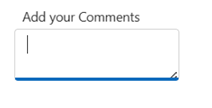
The floating label displays the placeholder as a label above the TextArea while the user interacts with it, improving readability and saving space in forms. Control this behavior using the FloatLabelType property. By default, the floating label is disabled (Never).
The following options describe when the label floats and typical usage patterns:
| Type | Description |
|---|---|
| Auto | The label floats above the TextArea on focus or input. If a value is present, it remains floated after blur; if empty, it returns to its initial position. |
| Always | The label remains floating above the TextArea at all times, regardless of interaction or value. |
| Never | The label does not float and stays in its default placeholder position. |
<SfTextArea Placeholder='Enter the Address' FloatLabelType='@FloatLabelType.Auto'></SfTextArea>