Multiple Selection in Blazor TreeView
27 Aug 20265 minutes to read
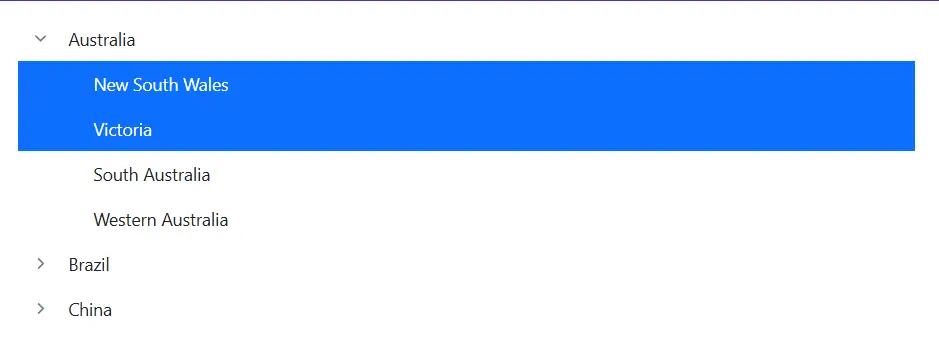
The Blazor TreeView component offers interactive selection capabilities, visually highlighting the currently selected node(s). Selection is performed via mouse interaction or keyboard navigation. The TreeView also supports selecting multiple nodes by setting the AllowMultiSelection property to true. Users can perform multi-selection by pressing and holding the Ctrl key while clicking the desired nodes, or by pressing and holding the Shift key and clicking to select a range of nodes.
The following example demonstrates multi-selection with the AllowMultiSelection property enabled.
Multi selection is not applicable through touch interactions.
@using Syncfusion.Blazor.Navigations
<SfTreeView TValue="Country" AllowMultiSelection=true>
    <TreeViewFieldsSettings  TValue="Country" Id="Id" DataSource="@Countries" Text="Name" ParentID="ParentId" HasChildren="HasChild" Expanded="Expanded" Selected="IsSelected"></TreeViewFieldsSettings>
</SfTreeView>

@code{
    public class Country
    {
        public int Id { get; set; }
        public int? ParentId { get; set; }
        public string? Name { get; set; }
        public bool HasChild { get; set; }
        public bool Expanded { get; set; }
        public bool IsSelected { get; set; }
    }
    List<Country> Countries = new List<Country>();

    protected override void OnInitialized()
    {
        base.OnInitialized();
        Countries.Add(new Country
        {
            Id = 1,
            Name = "Australia",
            HasChild = true,
            Expanded = true
        });
        Countries.Add(new Country
        {
            Id = 2,
            ParentId = 1,
            Name = "New South Wales",
            IsSelected = true
        });
        Countries.Add(new Country
        {
            Id = 3,
            ParentId = 1,
            Name = "Victoria",
            IsSelected = true
        });
        Countries.Add(new Country
        {
            Id = 4,
            ParentId = 1,
            Name = "South Australia"
        });
        Countries.Add(new Country
        {
            Id = 5,
            ParentId = 1,
            Name = "Western Australia"
        });
        Countries.Add(new Country
        {
            Id = 6,
            Name = "Brazil",
            HasChild = true
        });
        Countries.Add(new Country
        {
            Id = 7,
            ParentId = 6,
            Name = "Paraná"
        });
        Countries.Add(new Country
        {
            Id = 8,
            ParentId = 6,
            Name = "Ceará"
        });
        Countries.Add(new Country
        {
            Id = 9,
            Name = "China",
            HasChild = true
        });
        Countries.Add(new Country
        {
            Id = 10,
            ParentId = 9,
            Name = "Guangzhou"
        });
        Countries.Add(new Country
        {
            Id = 11,
            ParentId = 9,
            Name = "Shantou"
        });
    }
}